
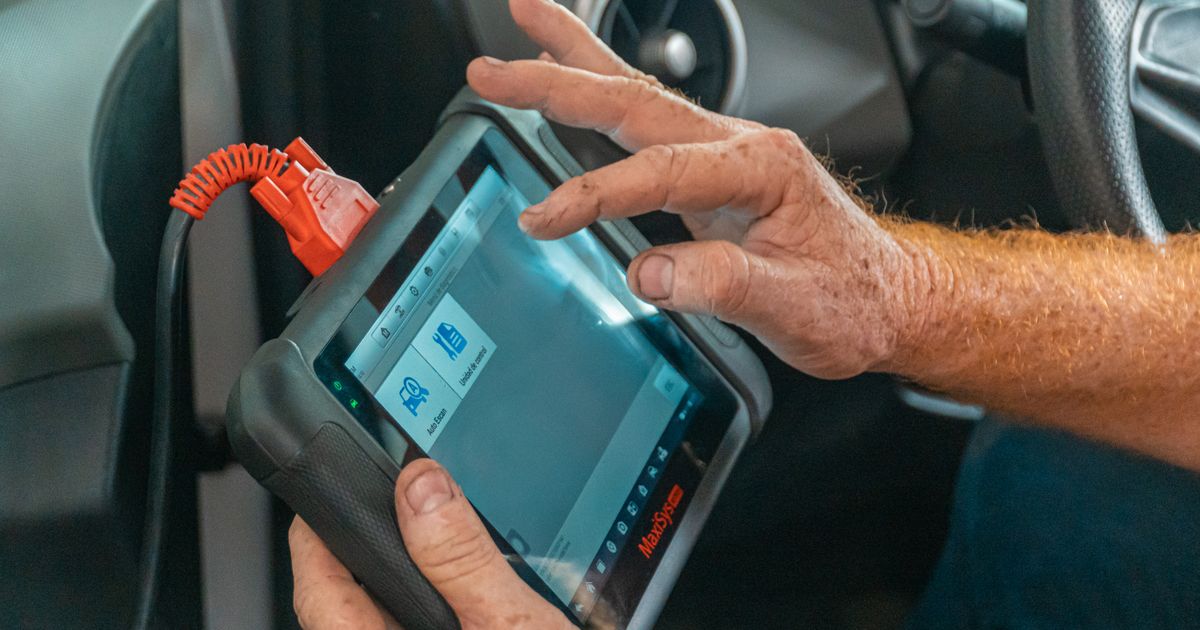
This guide introduces connecting an ELM327 adapter to interface with a vehicle's onboard diagnostics. Record stored and pending codes using the adapter to identify potential issues with the vehicle's systems. Review freeze frame data to understand conditions at the time specific fault codes were triggered. Check live data for real-time vehicle performance parameters to assess current system statuses.
Drivers investigating an engine warning light can use AutoScan for Windows with a compatible ELM327 adapter to read and clear fault codes and view live data, freeze frame and readiness information.
Connecting an ELM327 Adapter
Before connecting an ELM327 adapter, ensure your vehicle's battery is charged and the adapter is compatible with your car's diagnostic port. Attach the ELM327 adapter to the OBD-II port, ensuring a secure connection to facilitate reliable data transmission. Use a Bluetooth or USB cable to link the adapter to your smartphone or computer for diagnostic access. Install a suitable OBD-II app to interface with the ELM327 adapter and begin reviewing your vehicle's diagnostic information.
For further detail, see US Environmental Protection Agency guidance.
Recording Stored and Pending OBD-II Codes
After connecting the ELM327 adapter, use OBD-II software to access the vehicle's diagnostic trouble codes. Stored codes indicate past issues, while pending codes suggest current problems that need further investigation. Record both types of codes as they provide valuable information about the vehicle's recent performance and health. Reviewing these codes helps in understanding the vehicle's operational history without making immediate repair decisions.
For further detail, see SAE International guidance.
Understanding Freeze Frame Data
Freeze frame data captures engine conditions at the moment a fault code was triggered, aiding in diagnosing issues. This data includes parameters like speed, throttle position, and engine RPM, offering context for the fault. Understanding freeze frame data helps in identifying transient issues that might not be evident during a live data check. Analyse freeze frame data alongside live data to gain a comprehensive view of vehicle performance anomalies.
Checking Live Vehicle Data
Connect the ELM327 adapter to your vehicle's OBD-II port to access diagnostic data. Use the adapter software to select and view live vehicle data parameters. Monitor real-time engine, transmission, and emission control unit performance data. Review live data for patterns or anomalies that may indicate system inefficiencies.
Researching Vehicle-Specific Service Information
Before replacing parts, research vehicle-specific service information to ensure accurate and safe repairs. Consult manufacturer guidelines and OBD-II system documentation for precise diagnostic procedures. Vehicle-specific service information can provide critical details about emission control systems and OBD compliance. Understanding your vehicle's unique requirements prevents unnecessary replacements and ensures legal compliance.
Identifying High Emissions with I/M Programs
Vehicle Inspection and Maintenance programs identify cars with excessive emissions to ensure they meet legal emission standards. Owners receive notifications to repair high-emission vehicles, ensuring cleaner air through reduced pollutants. EPA guidelines support states in implementing effective OBD-I/M checks within their I/M programs. Regular checks under I/M programs help maintain vehicle emissions within legal limits, enhancing air quality.
Implementing OBD-I/M Checks in I/M Programs
Implement OBD-I/M checks to identify vehicles needing repairs under inspection and maintenance programs. Review vehicle-specific service information to understand unique diagnostic requirements accurately. Ensure OBD system checks comply with legal standards for vehicle emissions in your area. Monitor readiness status indicators to assess if a vehicle requires further diagnostic testing.
Improving I/M Program Performance and Monitor Readiness
Monitor readiness ensures on-board diagnostics accurately reflect vehicle emissions status, enhancing inspection precision. Addressing monitor readiness issues improves inspection and maintenance program performance, ensuring compliance with regulations. Review vehicle-specific readiness exceptions to tailor inspection procedures and optimize operational efficiency accordingly. Consult manufacturer guidelines for vehicle-specific service information to address monitor readiness effectively.
Use the code as evidence, not a parts list
A diagnostic trouble code identifies the system or test that noticed an unexpected result; it does not prove that the component named in the description has failed. Before clearing anything, save the full code, whether it is stored or pending, the freeze-frame values and any symptoms you observed. Compare those clues with vehicle-specific workshop information. Wiring, air or exhaust leaks, low voltage and related faults can produce similar codes, so replacing the first part mentioned is an expensive way to guess.
Know the limits of a scan
Standard OBD information is useful, but it is only one layer of a diagnosis. Braking, airbag, high-voltage and manufacturer-specific systems may need compatible equipment and trained handling. A scan also cannot confirm that a safety recall has been completed: use the manufacturer or the official GOV.UK recall service. If the car runs roughly, loses power, overheats, shows a red warning, smells of fuel or makes an unusual mechanical noise, stop and seek qualified help rather than continuing a test drive.
Next steps
Connecting an ELM327 adapter enables interaction with your vehicle's onboard diagnostics for monitoring and maintenance. Record codes and freeze frame data to observe vehicle conditions without diagnosing specific part failures. Live data checks provide real-time vehicle status, aiding in the assessment of system readiness and performance. Researching vehicle-specific service information ensures accurate and effective maintenance procedures are followed.
