
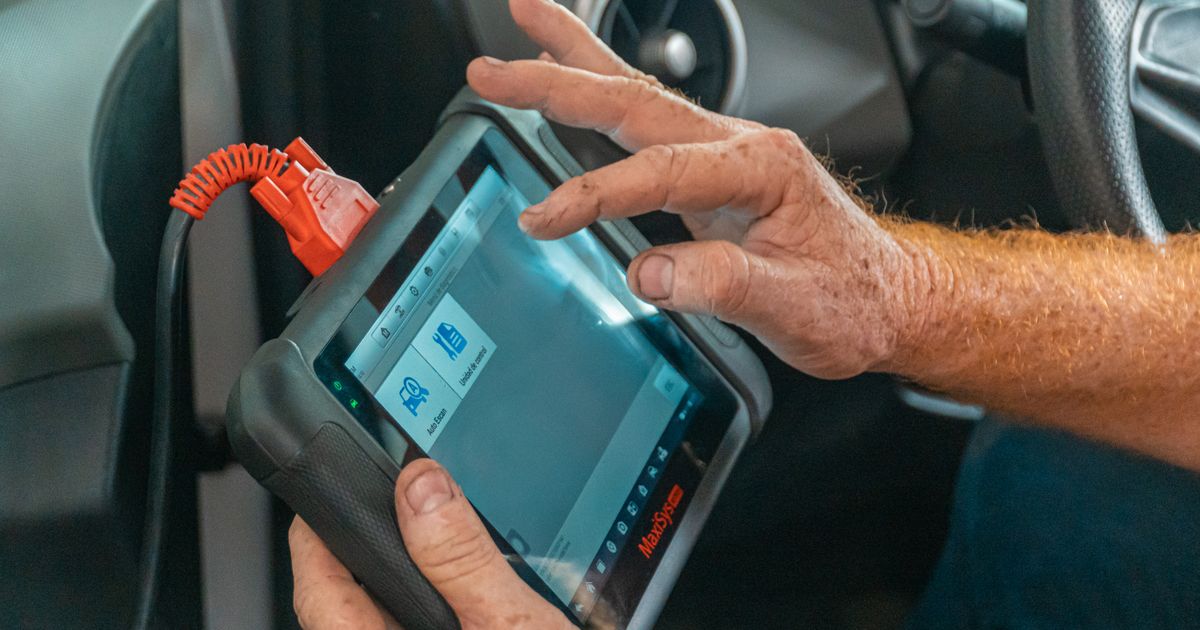

Connecting an OBD-II Scanner: A Safe and Effective Start
When it comes to diagnosing issues with your vehicle, an OBD-II scanner is an invaluable tool. The video by 1A Auto provides a practical demonstration of how to connect an OBD-II scanner and read diagnostic information. This article aims to expand on the video’s content by offering a deeper understanding of the steps involved and the importance of each action.
Watch with attribution: How to Use an OBD-II Scanner by 1A Auto.
Video by 1A Auto. YouTube connects when you press play.
Drivers investigating an engine warning light can use AutoScan for Windows with a compatible ELM327 adapter to read and clear fault codes and view live data, freeze frame and readiness information.
Connecting Safely
The first step in using an OBD-II scanner is to connect it to your vehicle’s diagnostic port. This port is typically located under the dashboard near the driver’s seat. It’s crucial to ensure that the scanner is properly connected to avoid any misreads or false positives. The video demonstrates how to plug in the scanner and turn on the vehicle to begin the diagnostic process.
Recording Codes and Context
Once the scanner is connected, the next step is to read and record the diagnostic trouble codes (DTCs) generated by your vehicle’s onboard computer. These codes provide a starting point for diagnosing issues, but they should not be taken as definitive diagnoses. The video shows how to retrieve these codes using the scanner’s interface. It’s important to note down the codes and any other relevant information, such as the date and conditions under which the codes were generated, to help in further troubleshooting.
Preserving Freeze-Frame Information
Freeze-frame data is a critical component of the diagnostic process. This information includes the vehicle’s speed, engine RPM, and other parameters at the moment the DTC was triggered. The video highlights the importance of preserving this data, as it can provide valuable context for the issue at hand. Freeze-frame data can help pinpoint the exact conditions under which a problem occurred, making it easier to diagnose and address the issue.
Using the Results as Evidence
While the DTCs and freeze-frame data are useful for identifying potential issues, they should not be used as a definitive parts verdict. The video emphasizes the importance of using the results as evidence to guide further investigation. For example, a DTC might indicate a problem with the oxygen sensor, but it’s essential to verify this with additional tests or inspections before replacing the part. This approach helps avoid unnecessary repairs and ensures that the correct issue is addressed.
Distinguishing Observation from Diagnosis
It’s important to distinguish between observation and diagnosis when using an OBD-II scanner. Observing the DTCs and freeze-frame data provides valuable insights into potential issues, but it does not constitute a diagnosis. A diagnosis requires a thorough inspection and testing of the vehicle’s components. The video underscores the importance of using the scanner’s results as a starting point for further investigation, rather than as a conclusive diagnosis.
Stop Conditions and Further Action
The video also outlines the importance of knowing when to stop using the OBD-II scanner and seek professional assistance. If the DTCs and freeze-frame data do not provide clear guidance or if the issue persists despite addressing the indicated problems, it’s advisable to consult a professional mechanic. The RAC provides guidance on when to seek professional help, emphasizing the importance of a comprehensive diagnostic check to ensure the vehicle’s safety and reliability.
Conclusion
The OBD-II scanner is a powerful tool for diagnosing issues with your vehicle, but its effectiveness lies in how it is used. By following the steps outlined in the 1A Auto video and expanding on them with additional context and guidance, you can make the most of your OBD-II scanner. Remember to connect safely, record codes and context, preserve freeze-frame information, and use the results as evidence rather than a definitive parts verdict. This approach will help you identify potential issues early and address them effectively, ensuring your vehicle remains reliable and safe to drive.

Common questions
How do I safely connect an OBD-II scanner to my vehicle?
To connect an OBD-II scanner, locate the diagnostic port under the dashboard, typically near the driver's seat. Ensure the scanner is properly connected to avoid misreads or false positives.
What should I do after recording diagnostic trouble codes (DTCs) from my OBD-II scanner?
After recording DTCs, note down the codes and any relevant context such as date and conditions. Use this information to guide further troubleshooting and avoid unnecessary repairs.
Why is it important to preserve freeze-frame data when using an OBD-II scanner?
Preserving freeze-frame data, which includes vehicle speed and engine RPM at the moment a DTC was triggered, helps pinpoint the exact conditions of the issue, aiding in accurate diagnosis and repair.