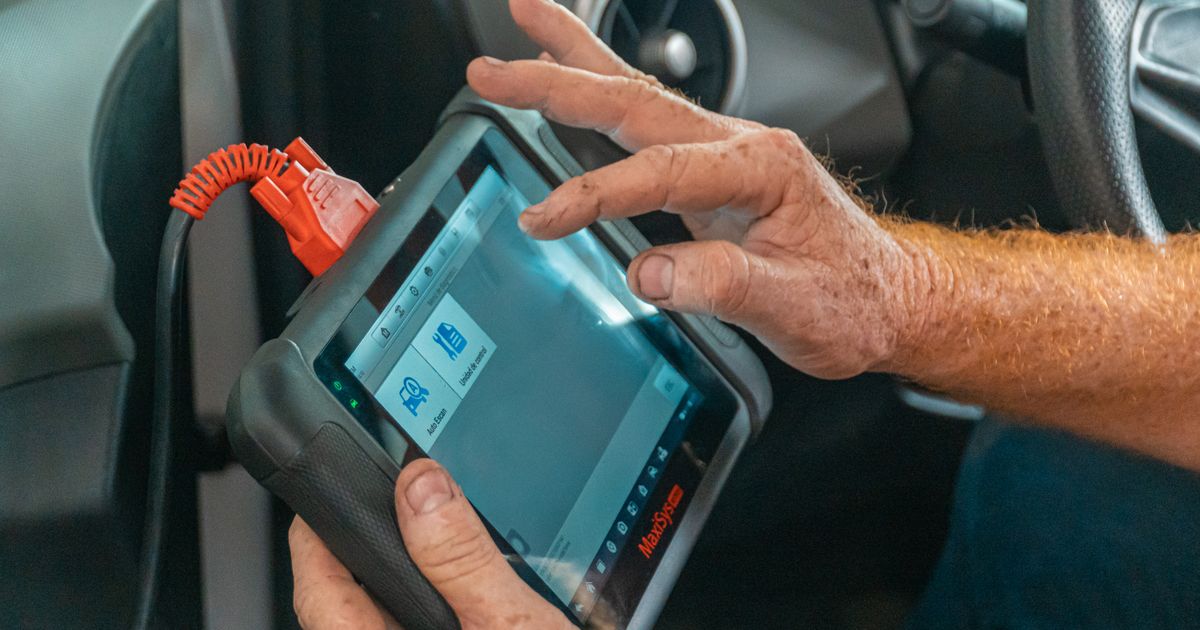
A Windows laptop, an ELM327-based OBD2 adapter, and AutoScan trial software are the three components needed to capture a complete vehicle diagnostic record at home. The ELM327 supports all standard OBDII protocols, including CAN, making it broadly compatible with European petrol vehicles from 2001 and diesels from 2004. AutoScan reads stored and pending fault codes directly from the ECU and presents plain-English descriptions, freeze-frame data, and readiness monitor status on screen. This guide explains each setup step in practical terms, noting where a code indicates an observation rather than confirming which specific component has failed.
To record standard engine and emissions fault codes before making changes, try AutoScan for Windows free trial with a compatible ELM327 adapter.
What you need before connecting
AutoScan runs on Windows only, so you will need a Windows laptop or desktop computer with a free USB port. The adapter must be ELM327-based, as AutoScan requires this chip to communicate across the standard OBDII diagnostic protocols. Vehicle compatibility covers most European petrol cars from 2001, European diesels from 2004, and non-European vehicles from 1996 onwards. Download the free trial from the AutoScan website before connecting, so the software is ready when you plug the adapter in.
For further detail, see ELM Electronics OBD products guidance.
Connect the adapter and vehicle safely
Locate the OBD2 port, typically found beneath the dashboard on the driver's side, and ensure the ignition is switched off before inserting the adapter. The ELM327 adapter connects directly to the vehicle's OBD2 socket; no tools are required, and no wiring should be disturbed during this step. Once the adapter is seated, turn the ignition to the accessories position so the ECU is powered without starting the engine. AutoScan reads what the ECU has recorded and reports it on screen; reading codes is observation, not a confirmed diagnosis of a failed component.
For further detail, see SAE J1979 standard overview guidance.
Read and save the complete result
Once AutoScan has connected, navigate to the fault code screen and allow the software to retrieve all stored and pending codes. Each code is an observation reported by the ECU and does not on its own confirm that a named component has failed. Note the freeze frame data alongside the codes, as it records conditions such as speed and engine load at the moment the fault triggered. Use AutoScan's export function to save the full session as a PDF, giving you a dated record to reference or share with a mechanic.
Interpret codes without guessing
A fault code is an observation recorded by the ECU, not a confirmed diagnosis of which specific component has failed. AutoScan's built-in database of 14,309 codes provides a plain-English description, giving you a starting point for investigation rather than a verdict. Freeze-frame data — the speed, load, and temperature captured at the moment the fault triggered — narrows the conditions genuinely worth examining. Cross-reference the code, its description, and the freeze-frame together before drawing any conclusion about which part actually requires attention.
Use freeze-frame and live data
Freeze-frame records the speed, engine load, and temperature logged at the exact moment a fault code was stored. Open the freeze-frame tab in AutoScan Enhanced and save the values before clearing any codes, as clearing erases them permanently. Live data lets you observe up to ninety sensor readings in real time, which may reveal patterns that a stored code alone cannot show. These readings are observations from the vehicle's sensors; a technician must interpret them before concluding which component, if any, requires attention.
Export evidence and choose next steps
AutoScan can save your complete session as a PDF report, giving you a portable record of every code and freeze-frame reading. That document records what the vehicle's ECU observed; it does not confirm which component has actually failed or needs replacement. If readiness monitors show incomplete status, drive normally for several days before booking an MOT to allow the monitors to complete. Take the saved PDF to a qualified technician if any fault code points to a safety-related system such as ABS or SRS.
Use the code as evidence, not a parts list
A diagnostic trouble code identifies the system or test that noticed an unexpected result; it does not prove that the component named in the description has failed. Before clearing anything, save the full code, whether it is stored or pending, the freeze-frame values and any symptoms you observed. Compare those clues with vehicle-specific workshop information. Wiring, air or exhaust leaks, low voltage and related faults can produce similar codes, so replacing the first part mentioned is an expensive way to guess.
Know the limits of a scan
Standard OBD information is useful, but it is only one layer of a diagnosis. Braking, airbag, high-voltage and manufacturer-specific systems may need compatible equipment and trained handling. A scan also cannot confirm that a safety recall has been completed: use the manufacturer or the official GOV.UK recall service. If the car runs roughly, loses power, overheats, shows a red warning, smells of fuel or makes an unusual mechanical noise, stop and seek qualified help rather than continuing a test drive.
Next steps
Following these steps leaves you with a verifiable, timestamped record of exactly what your vehicle's ECU reported during the session. The codes and freeze-frame data you have saved are observations from the car, not a confirmed diagnosis of which component has failed. Take your exported report to a qualified technician whenever a fault requires physical inspection, further testing, or any form of repair work. With a complete session file to hand, you are far better placed to understand a workshop quote and ask informed questions.